
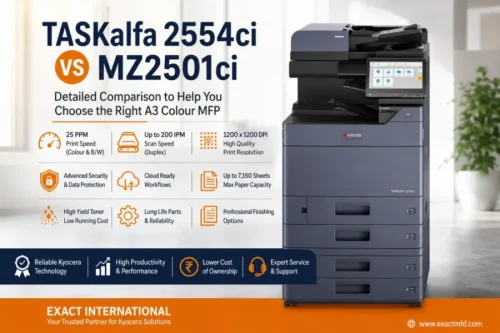
Photocopier Comparison Guide
Two proven A3 colour engines. One important decision.
Both machines are rated at 25 ppm in colour and black & white. The difference is in what sits underneath — storage, security, toner economics and how ready each platform is for cloud-connected document workflows. Here's the full spec-by-spec breakdown.
TASKalfa 2554ci
Reliable, productivity-focused colour MFP
TASKalfa MZ2501ci
Cloud, security & document-workflow focused
| Feature | TASKalfa 2554ci | TASKalfa MZ2501ci New 2026 |
|---|---|---|
| Machine type | A3 colour MFP | A3 colour MFP |
| A4 print speed | 25 ppm colour / B&W | 25 ppm colour / B&W |
| A3 print speed | Up to 12 ppm | Up to 12 ppm |
| Print resolution | Up to 1,200 × 1,200 dpi | 1,200 × 1,200 dpi |
| RAM | 4 GB | 4 GB |
| Standard SSD | 32 GB | 64 GB (Asia brochure) |
| Standard paper capacity | 1,150 sheets | 1,150 sheets |
| Maximum paper capacity | 7,150 sheets | 7,150 sheets |
| Paper size — Cassette | Min. A6R – Max. SRA3 (320mm × 450mm); Cassette 1: Min. A6R – Max. A4R (Legal) | Min. A6R – Max. SRA3 (320mm × 450mm); Cassette 1: Min. A6R – Max. A4R (Legal) |
| Paper size — MPT | Min. A6R – Max. SRA3 (320mm × 450mm) & Banner Print (1,220mm × 304.8mm) | Min. A6R – Max. SRA3 (320mm × 450mm) & Banner Print (1219.2mm × 304.8mm) |
| Max. paper weight | 300 g/m² | 300 g/m² |
| Duplex weight range | 60–256 g/m² | 60–256 g/m² |
| Max. scan speed | 100 ipm simplex / 200 duplex | 100 ipm simplex / 200 duplex |
| Standard panel | 10.1" colour touchscreen | 10.1" touchscreen |
| Toner yield | TK-8360 — 25K black / 12K colour | TK-8450 — 25K black / 12K colour |
| Maintenance kit | MK-8335 (A/B): 200,000 pages · MK-8345 (D/E): 600,000 pages | MK-8335 (A/B): 200,000 pages · MK-8345 (D/E): 600,000 pages |
| Fiery | Optional | Optional |
| Cloud workflow | Fleet solutions available | Stronger cloud-ready platform |
| Security | Advanced | Newer, more comprehensive |
| Best for | Value & conventional workflows | Cloud, security & digital workflows |
Exact configuration and consumable part numbers can vary by market — confirm the final India specification before placing an order.
Print speed — 25 ppm on both machines
Both the 2554ci and MZ2501ci are rated at 25 pages per minute in colour and black & white, with roughly 12 A3 pages per minute. That covers corporate offices, schools, government departments, design studios and internal document production equally well. If 25 ppm colour output is your baseline requirement, neither machine holds a speed advantage.
Print quality and resolution
Both machines output up to 1,200 × 1,200 dpi. The 2554ci adds Handwriting Emphasis and Super Resolution features; the MZ2501ci scans and copies at 600 × 600 dpi. For presentations, brochures, reports, marketing material and everyday corporate documents, both deliver excellent quality.
Scanning speed
With the right document processor, the 2554ci reaches 100 ipm simplex / 200 ipm duplex (DP-7140 and DP-7150 options run slower at 50/16 and 80/48 ipm). The MZ2501ci matches 200 ipm duplex with the DP-7160/DP-7170. High-volume digitisation of contracts, invoices, student records or archive documents benefits equally from either — configured correctly.
Toner yield and running cost
Both machines share the same yield class on their India-spec toner. The TASKalfa 2554ci uses TK-8360 — 25,000 pages black (K), 12,000 pages each for cyan/magenta/yellow. The TASKalfa MZ2501ci uses TK-8450 — the same yield: 25,000 pages black (K), 12,000 pages each for cyan/magenta/yellow.
- Fewer toner changes reduce downtime and stock-management effort
- Higher-yield cartridges suit consistently high-volume printing
- Real cost-per-page depends on toner price, coverage and colour/mono ratio
Maintenance kit & long-life components
Both machines share the same maintenance kit lineup — MK-8335 (A/B) rated for 200,000 pages, and MK-8345 (D/E) rated for 600,000 pages. Built on Kyocera's long-life drum philosophy, this reduces the frequency of major service interventions for businesses with steady monthly volumes.
SSD and storage
The 2554ci ships with a 32 GB standard SSD. The supplied MZ series brochure lists 64 GB standard on the MZ2501ci — useful for document boxes, stored jobs, scan workflows and HyPAS applications. Note that Kyocera's current US spec for the MZ2501ci lists a 256 GB SSD, so region matters; confirm the India build before quoting a fixed figure.
First copy / first print time
Both machines are specified at approximately 6.4s black / 8.5s colour for first copy, and 7.0s black / 9.2s colour for first print — practically indistinguishable for day-to-day office response.
Paper capacity & media handling
Standard capacity is two 500-sheet cassettes plus a 150-sheet multipurpose tray, expandable to 7,150 sheets. Both support SRA3 media up to ~300 g/m², with duplex up to 256 g/m². Optional 500-sheet feeders, 1,500 × 2-sheet feeders and a 3,000-sheet large-capacity side deck are available on both platforms.
Finishing options
Stapling, punching, booklet-making, Z-folding, inserters, mailboxes and high-capacity finishers (1,000- and 4,000-sheet on the MZ series) are available across both — enabling a print → duplex → fold → staple → booklet flow largely without leaving the machine.
Fiery & professional colour workflow
The MZ series brochure specifically lists an optional Fiery Controller and interface kit, alongside Kyocera's Tiered Color System and Color Optimizer. For agencies, publishers, print shops and brand-sensitive production, this makes the MZ2501ci the stronger colour-management platform — worth discussing at configuration stage.
Security
The 2554ci covers S/MIME, SCEP, TLS 1.3, Secure Boot, TPM, data encryption, certificate management and SIEM-related monitoring. The MZ platform extends this further — OAuth 2.0, IP filtering, secure print release, LDAP, SMTP authentication, encrypted PDF, SMB 3.1.1, AES-256, FIPS 140-3, runtime integrity checks and SNMPv3/SIEM logging. For confidential-document environments, the MZ2501ci's newer architecture is the clearer choice.
Cloud & digital workflow New launch 2026
This is the clearest platform difference. The MZ2501ci is marketed Cloud Ready, pre-installed with support for Kyocera Cloud Capture, Cloud Print & Scan and Cloud Information Manager — reducing dependence on paper across multi-department or multi-location businesses. The 2554ci is Fleet Services-ready, but the MZ2501ci carries the stronger cloud-first positioning.
Power consumption
2554ci (current US spec): ~480 W printing, 40 W ready, ≤1.0 W sleep. MZ2501ci (current UK/Asia spec): ~450 W printing, 40 W ready, 0.5 W sleep. On these cited regional figures the MZ2501ci runs slightly leaner — though power specs vary by market, so use the exact local sheet for electricity-cost calculations.
Print bigger than the box allows — with our modification
Buy either machine from Exact International and we'll modify it to accept oversized media, giving you a printable area of 12.25" × 18.50" for full-bleed brochures, posters and layouts most dealers can't offer.
TASKalfa 2554ci
- 25 ppm colour & black-and-white output
- 1,200 × 1,200 dpi print quality
- Up to 200 ipm duplex scanning
- Up to 7,150-sheet paper capacity
- Strong security, long-life components
- Best value for schools, offices, government & SMEs
TASKalfa MZ2501ci
- Same 25 ppm engine, cloud-ready platform
- 64 GB standard SSD (Asia brochure spec)
- Advanced security architecture (FIPS 140-3, AES-256)
- Fiery-optional colour management
- Kyocera Cloud Capture, Print & Scan, Information Manager
- Best fit for multi-location, IT-led, colour-conscious teams
There's no single winner — only the right fit for your workflow.
Reliable 25 ppm colour printing, scanning, copying and professional finishing at strong overall value — a dependable, conventional office workhorse.
The same 25 ppm performance paired with cloud workflows, advanced security, modern document management and professional colour options.
Is the MZ2501ci faster than the 2554ci?
No. Both are rated at approximately 25 pages per minute for A4 colour and black & white printing.
Which machine has better scanning speed?
Both can reach 100 ipm simplex and 200 ipm duplex when fitted with the appropriate high-speed dual-scan document processor.
Can both machines print SRA3?
Yes — both platforms support SRA3-size media, subject to the correct paper source and configuration.
Can the MZ2501ci print thick paper?
Yes. It supports media up to approximately 300 g/m², with duplex printing supported up to 256 g/m² in the cited specification.
Does the MZ2501ci support Fiery?
Yes — the Fiery Controller and its interface kit are listed as optional configurations for the MZ platform.
Which machine is better for cloud printing and scanning?
The MZ2501ci is the stronger cloud-oriented platform, marketed as Cloud Ready with dedicated Kyocera cloud workflow solutions.
Which machine should I buy?
For value and conventional office productivity, consider the 2554ci. For cloud workflow, advanced security and future-ready document management, consider the MZ2501ci.
Still deciding between the two?
Talk to Exact International for machine configuration, toner, service and full A3 colour photocopier solutions in Chennai and across Tamil Nadu — matched to your actual print volume, not just the spec sheet.
