
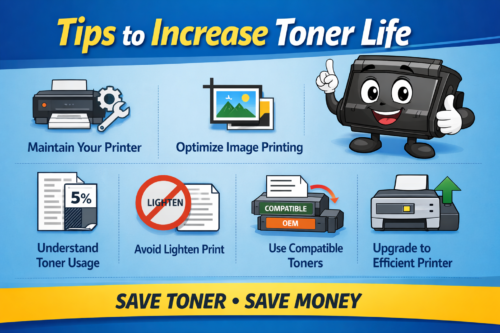
How to Save Toner in Photocopiers – Tips to Increase Toner Life
Maintain Your Printer Regularly
Proper maintenance plays a major role in saving toner.
Printer jams, dust, and dirty components can lead to toner wastage and poor print quality. Regular servicing helps avoid leakage and ensures smooth operation.
✔ Clean the machine regularly
✔ Check toner levels frequently
✔ Use built-in cleaning functions
For example, software tools in brands like HP can help monitor and maintain printer performance.
2. Understand Toner Usage (Coverage Concept)
Toner cartridge yield is calculated based on 5% coverage of an A4 page.
This means:
- A small portion of the page (like a few lines of text) uses minimal toner
- Full-page printing with heavy text or images can go up to 30% coverage
So, if you print:
✔ Dark images
✔ Bold text
✔ Full-page designs
👉 Toner consumption will increase faster.
Understanding this helps you set realistic expectations for toner life.
3. Avoid Using “Lighten Print” to Save Toner
Many users think using the lighten print option will reduce toner usage.
But actually:
- It only reduces print density
- Important details may fade
- It does NOT significantly save toner
So, avoid using this feature for toner saving.
4. Optimize Image Printing
One common mistake is printing images directly from WhatsApp or email without editing.
These images often:
- Have high background area
- Use more toner unnecessarily
Better Method:
✔ Open image in PowerPoint
✔ Crop only required area
✔ Remove unnecessary background
This simple step can save a lot of toner.
5. Choose the Right Print Mode
Just like an electric bike has Eco / Normal / Sport mode, printing also varies.
- Light printing → Low toner usage
- Normal text → Medium usage
- Dark images → High usage
Example:
A machine like Kyocera ECOSYS M2040dn may give 15,000 pages at 5% coverage, but actual output depends on usage.
6. Use Compatible Toner Cartridges
Compatible toner cartridges can help reduce cost significantly.
Advantages:
✔ Lower price (up to 60–80% cheaper)
✔ Higher fill capacity in some cases
✔ Good performance if quality is maintained
However, always choose trusted suppliers to avoid damage to your machine.
7. Print Only What is Necessary
Avoid unnecessary printing.
✔ Preview before printing
✔ Print only required pages
✔ Avoid duplicate prints
This reduces toner usage and saves paper.
8. Use Efficient Machines
Modern machines like Kyocera ECOSYS MA4000x are designed for better toner efficiency and lower running cost.
Upgrading to newer models can improve:
✔ Toner usage
✔ Speed
✔ Overall productivity
Conclusion
Saving toner is not just about reducing cost — it also improves machine life and efficiency.
By following these simple tips, you can:
✔ Increase toner yield
✔ Reduce printing expenses
✔ Improve print quality
Contact Exact International
Looking for toner, service, or photocopy machines?
📞 Call: 9094095551
📧 Email: exact@exactssd.com
We provide sales, service, and rental for all major photocopy machines.
