
Monochrome Multifunction Printer · A4/A3 Format
TASKalfa MZ2202 / MZ2502
Elevate Printing: Smart, Secure, Sustainable
Kyocera's newest economical monochrome MFP series — built for small offices that expect professional results, fast wireless setup, and enterprise-grade document security, without the enterprise price tag.
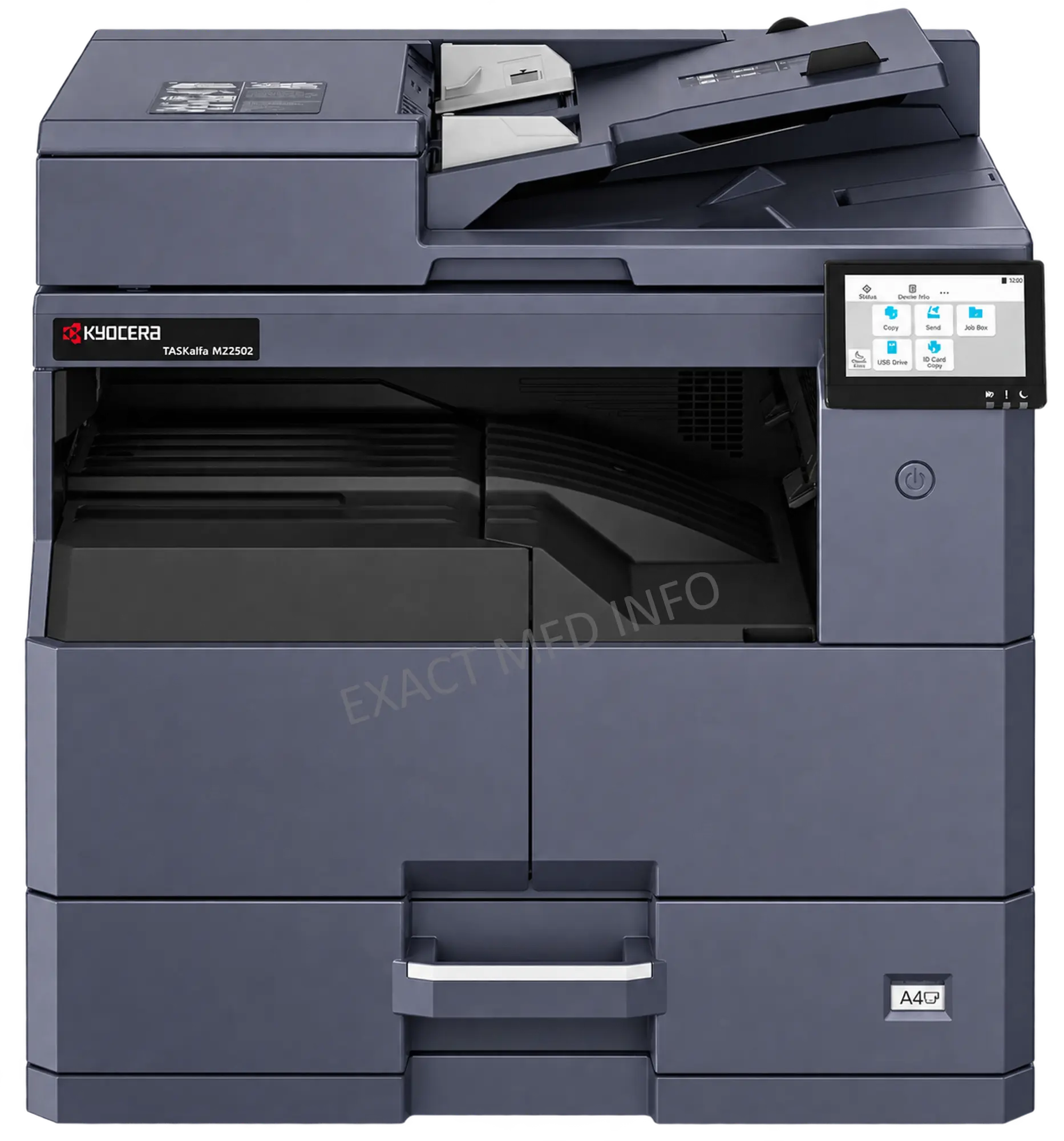
TASKalfa MZ2502 — shown with DP-480 document processor
Two models, one platform
Economical models built for small offices that expect professional, high-speed results.
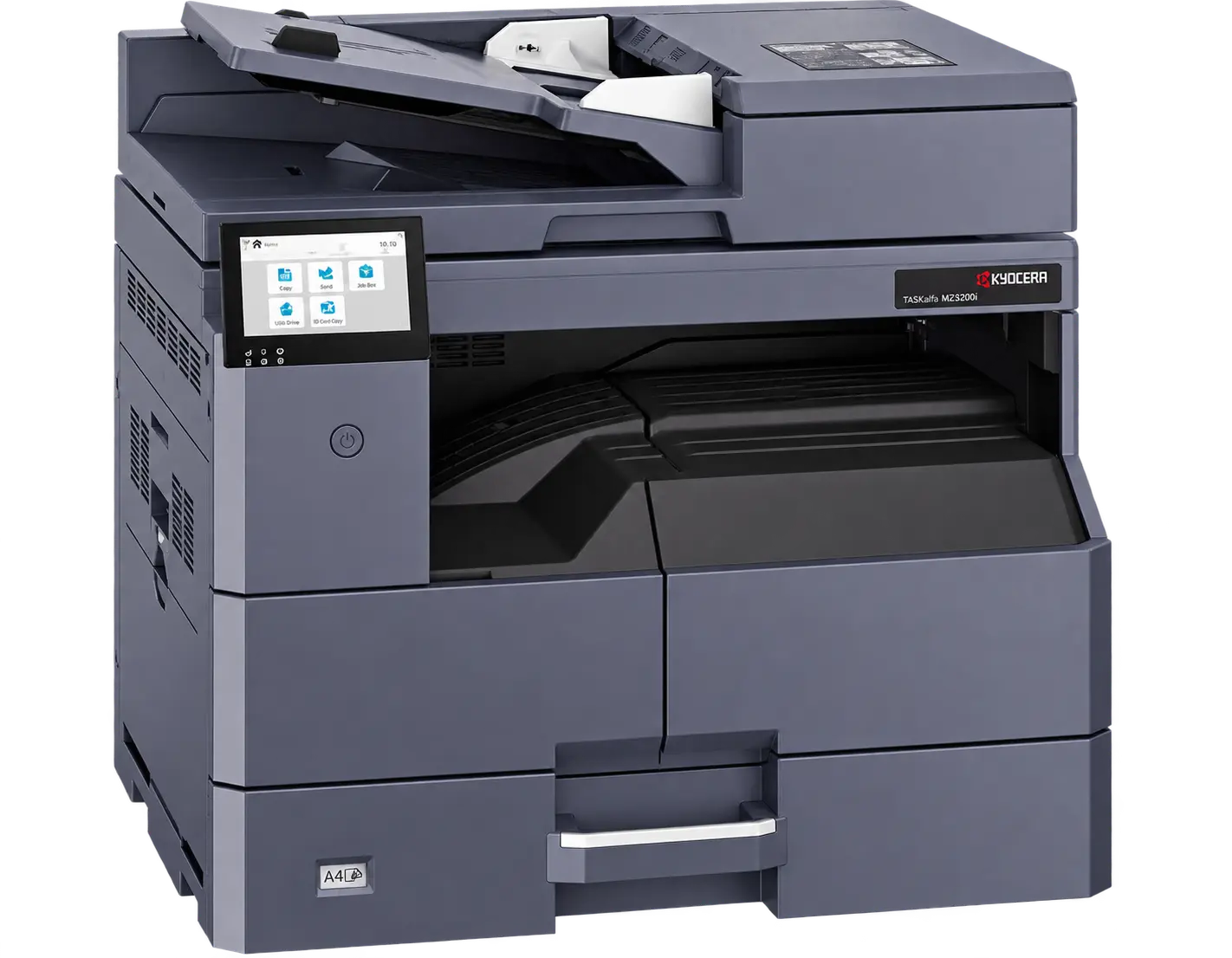
TASKalfa MZ2502
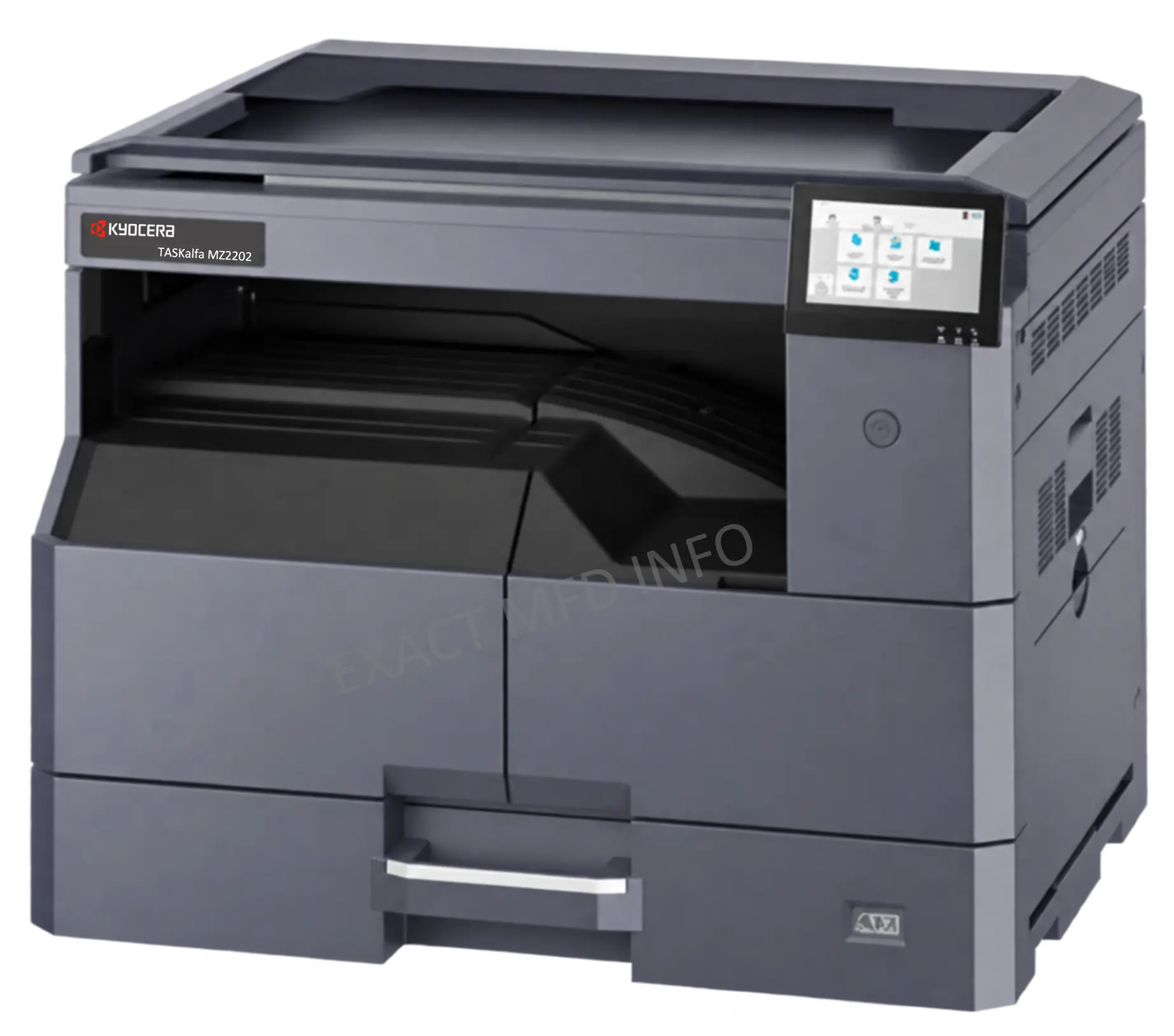
TASKalfa MZ2202
Tap a section to see the full spec
Main Specifications Engine, paper handling & power+
| Item | TASKalfa MZ2202 | TASKalfa MZ2502 |
|---|---|---|
| Main function | Copy, Print, Scan, Fax (Optional) | |
| Writing method | Semiconductor Laser | |
| CPU | 1.0 GHz | |
| Print speed (A4) Simplex/Duplex | 22 / 11 cpm | 25 / 12 cpm |
| Scan speed (A4, 300dpi) Simplex | 25/25 ipm (Mono/Colour) | |
| Scan speed (A4, 300dpi) Duplex | 8/8 ipm (Mono/Colour) | |
| Memory | 1 GB | |
| Warm-up time | 29 seconds | |
| Paper capacity — Standard | 400 sheets: 300 (cassette) + 100 (MPT) | |
| Paper capacity — Maximum | 1,300 sheets (Main unit + PF-480 × 3) + MPT | |
| Paper size — Cassette | Max. A3 (Ledger) – Min. A5R | |
| Paper size — MPT | Max. A3 (Ledger) – Min. A6R | |
| Paper weight — Cassette | 60 to 105 g/m² | |
| Paper weight — MPT | 45 to 163 g/m² | |
| Duplex printing | Max. A3 (Ledger) – Min. A5R · 60–105 g/m² | |
| Display | 4.3" LCD touch panel (backlit) | |
| Dimensions (W×D×H) | 565 × 525 × 485 mm (with platen) | 565 × 525 × 583 mm (with DP) |
| Weight (excl. toner) | 28 kg | 32 kg |
| Power — Copy/Print mode | 409 W or less | 442 W or less |
| Power — Standby mode | 79 W or less | |
| Power — Sleep mode | 0.3 W or less | |
| Noise — Copy/Print / Standby | 62 dB(A) / 40 dB(A) | |
Copy Functions Resolution, zoom & N-up+
| Copy size | Max. A3 (Ledger) – Min. A5R | |
|---|---|---|
| Resolution | 600 × 600 dpi | |
| First copy time | 5.9 seconds | |
| Zoom ratio | 25% to 400% (1% steps) | |
| N-up copy | 2-in-1, 4-in-1, 8-in-1 | |
Print Functions PDL, OS support & mobile+
| Resolution | 600 × 600 dpi | |
|---|---|---|
| First print time | 5.9 seconds | |
| PDL | PRESCRIBE, PCL6 (PCL-XL, PCL5e), KPDL3 (PostScript 3 compatible), XPS, OpenXPS, PDF | |
| Operating systems | Windows 11, Windows Server 2016/2019/2022/2025, Mac OS X 10.9+, Google Chrome OS | |
| Interface | USB 2.0, USB 2.0 Hi-Speed × 2; 10BASE-T/100BASE-TX/1000BASE-T | |
| Mobile printing | AirPrint, Mopria, KYOCERA MyPanel, KYOCERA Mobile Print (iOS/Android), Microsoft Cloud Print | |
Scan Functions Resolution, formats & transmission+
| Resolution | 600×600, 400×400, 300×300 (default), 200×200, 200×100, 200×400 dpi | |
|---|---|---|
| File formats | TIFF, PDF (MMR/JPEG/High Compression), JPEG, XPS, OpenXPS | |
| Transmission | SMB, SMTP/SMTP over TLS, FTP/FTP over TLS, USB, TWAIN, WSD, WIA, AirPrint (eSCL), Mopria (eSCL), Chrome OS Scan | |
Fax Functions Optional module+
| Original size | Max. A3 (Ledger) – Min. A5 (Statement) | |
|---|---|---|
| Coding method | MMR, MR, MH, JBIG | |
| Transmission speed | Super G3 33.6 kbps | |
| Address book | 300 single addresses, 50 group addresses | |
Consumables & Options Toner, maintenance & accessories+
| Item | TASKalfa MZ2202 | TASKalfa MZ2502 |
|---|---|---|
| Toner kit | TK-4230 — 15,000 pages | |
| Maintenance kit | MK-4145 — 150,000 pages | |
| Document processor | DP-480 — 50-sheet RADF (optional) | DP-480 — 50-sheet RADF (built-in) |
| Paper feeder | PF-480 — 300 sheets × 1 (A4/Letter) | |
| Wireless LAN | IB-37 (Wi-Fi 2.4/5 GHz multi-band) | |
Simple Installation and Mobile Printing
No IT visit required — the MZ2502 series gets itself online, and gets your team printing from their phones, in minutes.

Kyocera Printer Setup Tool
Features a power-on setup wizard that includes the "Wi-Fi (Setup by Utility)" option. Connect effortlessly using the Kyocera Printer Setup Tool without needing USB or WPS.
KYOCERA Mobile Print
Conveniently print files, web pages and images using your smartphone or tablet with the KYOCERA Mobile Print application.
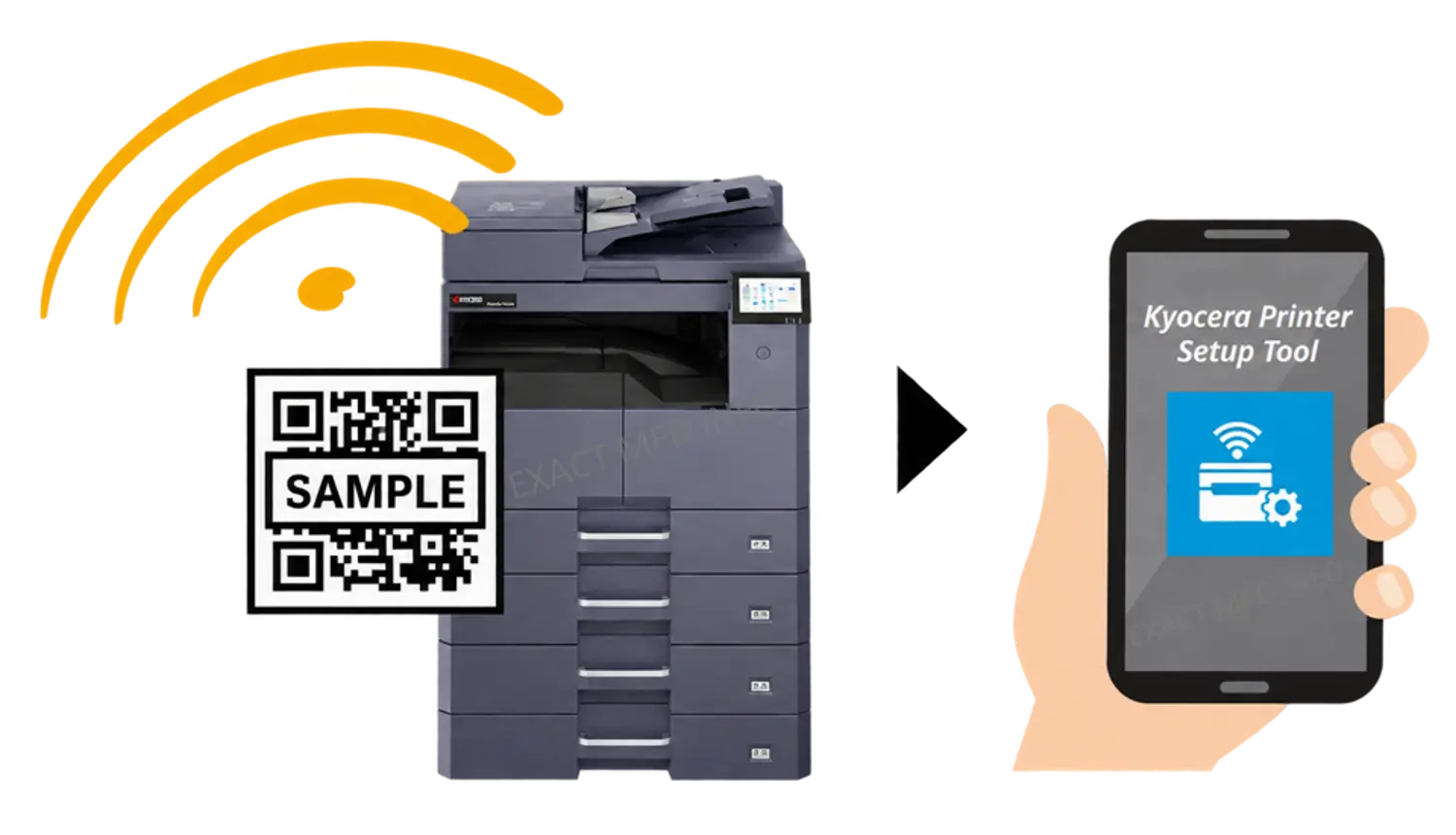
Scan, connect, print — no cables required
Copy, Print, Scan & Fax
Smart Document Handling
- Mixed-size originals — scans a stack of different-sized papers in one go and outputs each copy in its original size.
- Sharpness adjustment — manually adjust edge sharpness for clearer copy output.
Modern Connectivity
- Cloud & driverless printing — print from Google Drive or without installed drivers via Microsoft Universal Print and Kyocera Cloud Access.
- Secure print workflows — Private Print job hold and IPP PIN printing release output only on authentication.
Device-Centric Workflow
- Direct panel scanning — send to email, SMB/FTP and more, no PC client tool needed.
- Advanced address book — 300 entries with broadcast sending and department-level views.
Digital Fax Transformation
- Fax server integration — send faxes via email, no physical phone line required.
- Incoming fax digitisation — preview on panel and auto-forward to email or network folders.
Four pillars of the MZ2502 series
Smarter Usability
User-friendly interface, high-quality printing and easy wireless setup.
Secure Your Business
Data encryption, secure protocols, authentication and compliance built in.
Copy, Print, Scan & Fax
Intelligent document management with modern connectivity and digital fax.
Sustainable
Lower energy use, reduced operational cost, and eco-conscious design.
Discover Smarter Usability Touch panel & print support+
A contemporary 4.3" touch panel and simplified setup mean less time configuring, more time printing.
Enhanced printer visibility
4.3-inch touch panel with the Unified User Interface (UUI); the tilt mechanism guarantees the best viewing angle.
Universal print support
Transitioning from GDI to PDL enables quick, high-quality printing from Chrome OS, Mac, Linux and mobile devices via AirPrint and Mopria.
Secure Your Business Hardware, network & data security+
Guards against malware and unauthorised programs while preventing document information leakage.
Hardware & system integrity
Optional UG-50 TPM chip for secure storage and encryption; Secure Boot, Run-time Integrity Check and Allowlisting block unauthorised programs.
Network & communication security
TLS 1.3 encrypted connections, S/MIME secure email, DNS over TLS, and extensive IP filtering by address and protocol.
Advanced access & authentication
Local and network authentication, personalised user panels, Private Print job retention, IPP PIN printing and touch-less ID card authentication.
Data protection & management
Unique initial admin password per device, configurable password policies, mis-send prevention, and backup/restore of device settings.
Sustainable by Design Energy use & certifications+
Built to cut energy use and operational cost without asking the user to think about it.
Sleep mode optimisation
New ASIC technology drops sleep-mode power usage below 0.3W, cutting energy consumption during idle time.
Environmental certifications
Complies with Blue Angel (DE-UZ 219, 5% PCR plastic content) and Energy Star version 3.0.
Visual CO₂ & power monitoring
Estimated power consumption and CO₂ emissions shown right on the operation panel and CCRX.
Why Kyocera, why now
Kyocera Document Solutions builds toward a "Customer First" principle, balancing Economy and Ecology to deliver devices that lower total cost of ownership while improving environmental performance.
Broad range of multifunction devices and printers
Optimised Total Cost of Ownership (TCO)
Reliable, with long-life drum and parts
New and advanced technology
Ready to bring the MZ2502 series into your office?
Talk to Exact International for pricing, configuration and demo scheduling on Kyocera's newest monochrome MFP series in Chennai and across Tamil Nadu.